

Creating a Crosstab with Datapoints
Crosstabs let you dig deeper into your data by comparing variables across rows and columns; this makes it a great tool for analysing audience overlap. You can use these to compare how one set of variables relates to another, for example “Streaming frequency by Age” or “Brand awareness by Income group”. In the Platform API, a crosstab is created by referencing the required question datapoints directly in the request payload. For more information on how crosstabs work on our platform, you can find it on our help center article. For example, the crosstab below shows how personal interests vary by age group.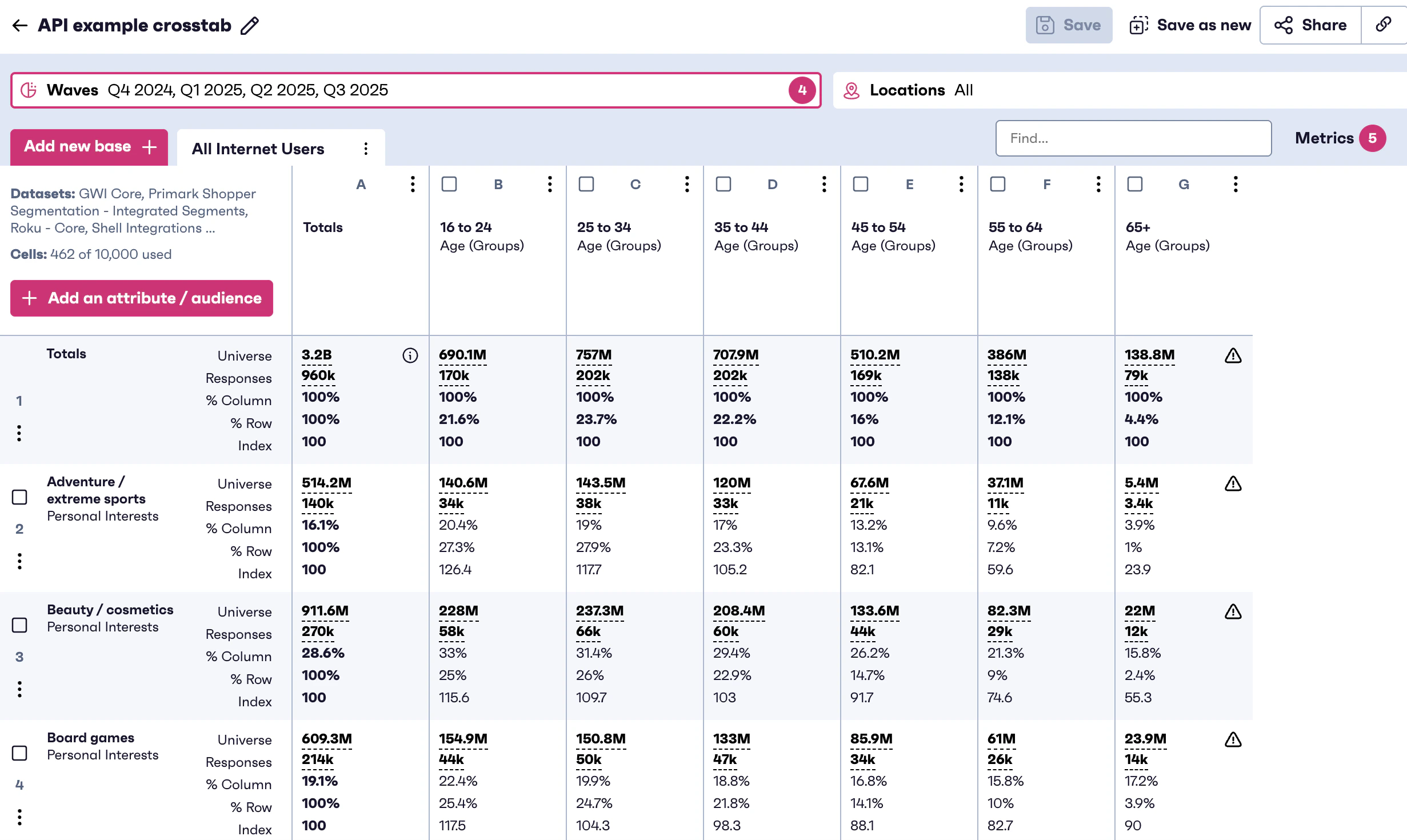
How it works
- Identify the questions and data points you want to use for:
- Rows (primary breakdown)
- Columns (secondary breakdown)
- Include those datapoint identifiers in your crosstab creation request.
- Once the crosstab is created, use the response or results endpoint to retrieve the calculated data.
Creating a Crosstab with Different Suffixes
Some questions include suffixes, which represent variations of the same measure (for example, different timeframes such as daily, weekly, or monthly). To compare these separately, you can create a crosstab where each suffix is defined as an individual row or column selection, rather than combining them into a single input. This is used when comparing the same measure across multiple suffixes, for example “Daily vs Weekly vs Monthly usage”. For example, the crosstab below shows social media browsing frequency by age group.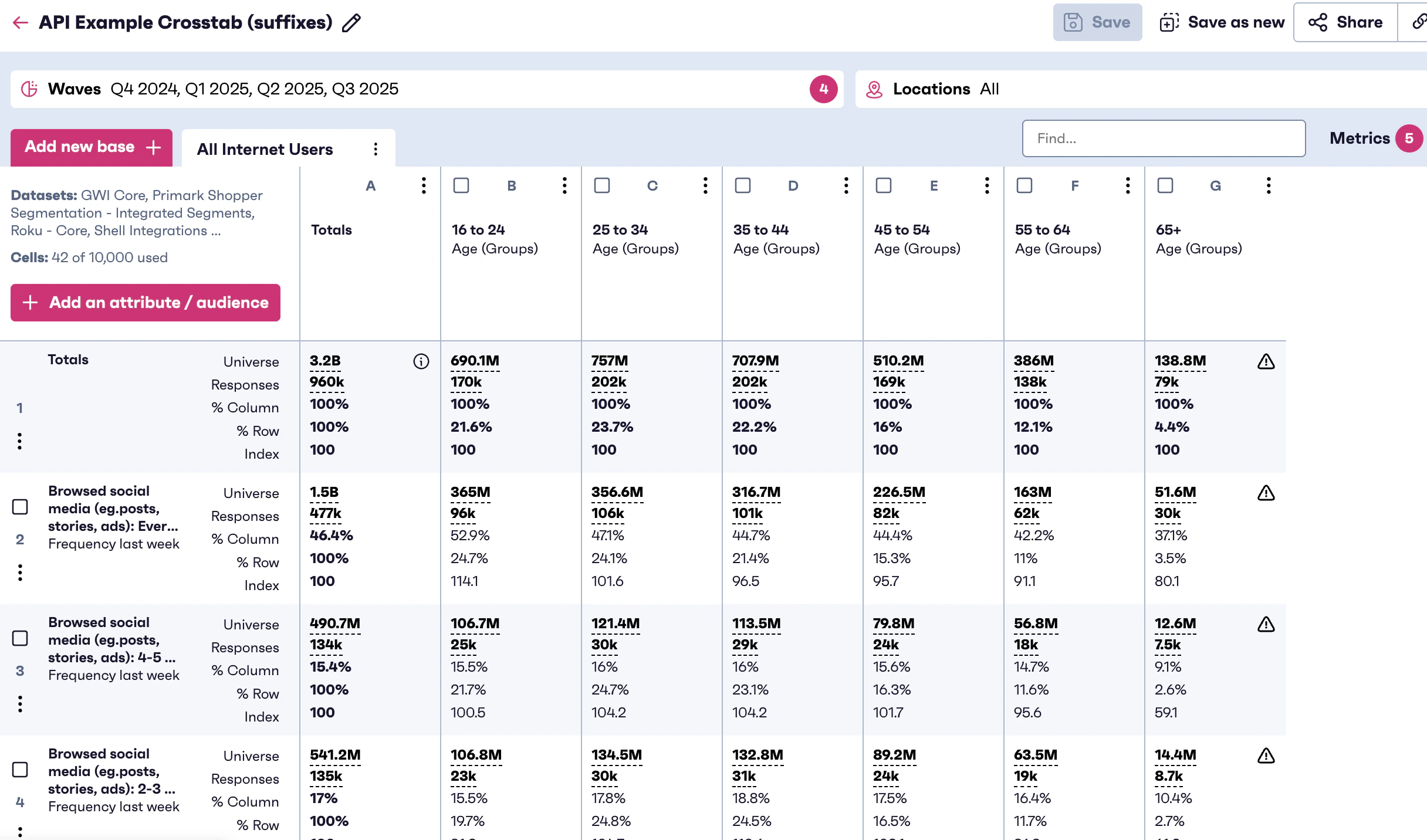
How it works
- Identify the question and the suffixes you want to compare.
- Build your crosstab request so each suffix is represented as a separate selection (e.g., separate row datapoints/variables).
- Query the results to retrieve each suffix cut independently in the output.